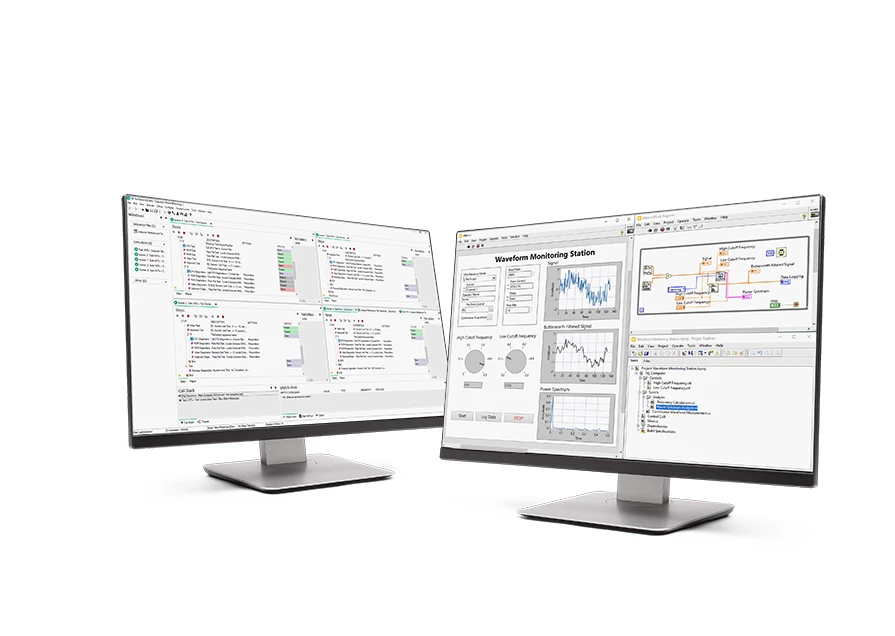
Test Workflow equips engineers with application-specific tools so that they can choose the right one for the job—from graphical programing environments to no-code and interactive software applications. Engineers can use Test Workflow software to perform quick ad-hoc tests, build an automated test system, automate data analysis and reporting, develop test sequences, and more.
| Test Workflow Standard | Test Workflow Pro | |
|---|---|---|
| LabVIEW | Includes LabVIEW Full | Includes LabVIEW Professional |
| Acquire data from NI and third-party hardware and communicate using industry protocols | ||
| Create interactive UIs for test monitoring and control | ||
| Integrate code written in Python, C/C++, .NET, and MathWorks MATLAB software | ||
| Utilize advanced math, probability, analysis algorithms, and signal procession and control functions | ||
| Save data to .csv, .tdms, or any custom-defined binary file | ||
| Create (royalty-free) stand-alone applications for deployment with the Application Builder | ||
| Compare and analyze code with software engineering tools | ||
| Prepare data with Microsoft Office with the Report Generation Toolkit | ||
| Connect to local and remote databases with the Database Connectivity Toolkit | ||
| TestStand | TestStand Not Included | TestStand Development System Included |
| Develop automated test sequences | ||
| Utilize built-in parallel test sequence execution | ||
| Customize database logging and reports in XML, HTML, ASCII, and ATML | ||
| Integrate code modules written in LabVIEW, Python, C/C++, and .NET | ||
| DIAdem | Includes DIAdem Advanced | Includes DIAdem Professional |
| Import over 1,000 file formats and search through metadata to find the data that needs to be analyzed | ||
| Automate common workflows with scripting tools | ||
| Access advanced reporting modes such as bode, waterfall, and orbit and shaft centerline displays and maps | ||
| Utilize advanced analysis functions such as bode order tracking, order and rainflow analysis, shaft centerline analysis, and more | ||
| FlexLogger | ||
| Acquire data without code with hundreds of NI hardware | ||
| Use templates for popular data acquisition sensor measurements | ||
| Log test results to .tdms or .csv files | ||
| Perform inline calculations for simple math, filtering, boolean logic, and more | ||
| Use the integrated TDMS Viewer for interactive data review | ||
| G Web Development | ||
| Design custom user interfaces with pre-built objects for data display and user input | ||
| Utilize pre-packaged APIs for data communication with test systems built in LabVIEW, Python, and C# | ||
| Call JavaScript libraries, embed HTML content, and attach CSS files | ||
| Access to SystemLink Cloud for hosting applications | ||
| Host applications using the NI Web Server on your test machine or a dedicated server | ||
| SystemLink Cloud | ||
| Host WebVIs created with G Web Development Software | ||
| Publish data from test systems to the cloud | ||
| Access from anywhere and any on device that can run a web browser | ||
| InstrumentStudio | ||
| Monitor and debug automated test systems | ||
| Integrate instruments into a single view with no-code interface | ||
| Export code for instrument configurations | ||
| Toolkits | ||
| LabVIEW Advanced Signal Processing Toolkit | ||
| LabVIEW Digital Filter Design Toolkit |